
A website and mobile app in one package: the Skymar example
For Skymar Lojistik I built the website, the iOS and Android app, the backend and the store release all under one roof. What matters in a full-package project?
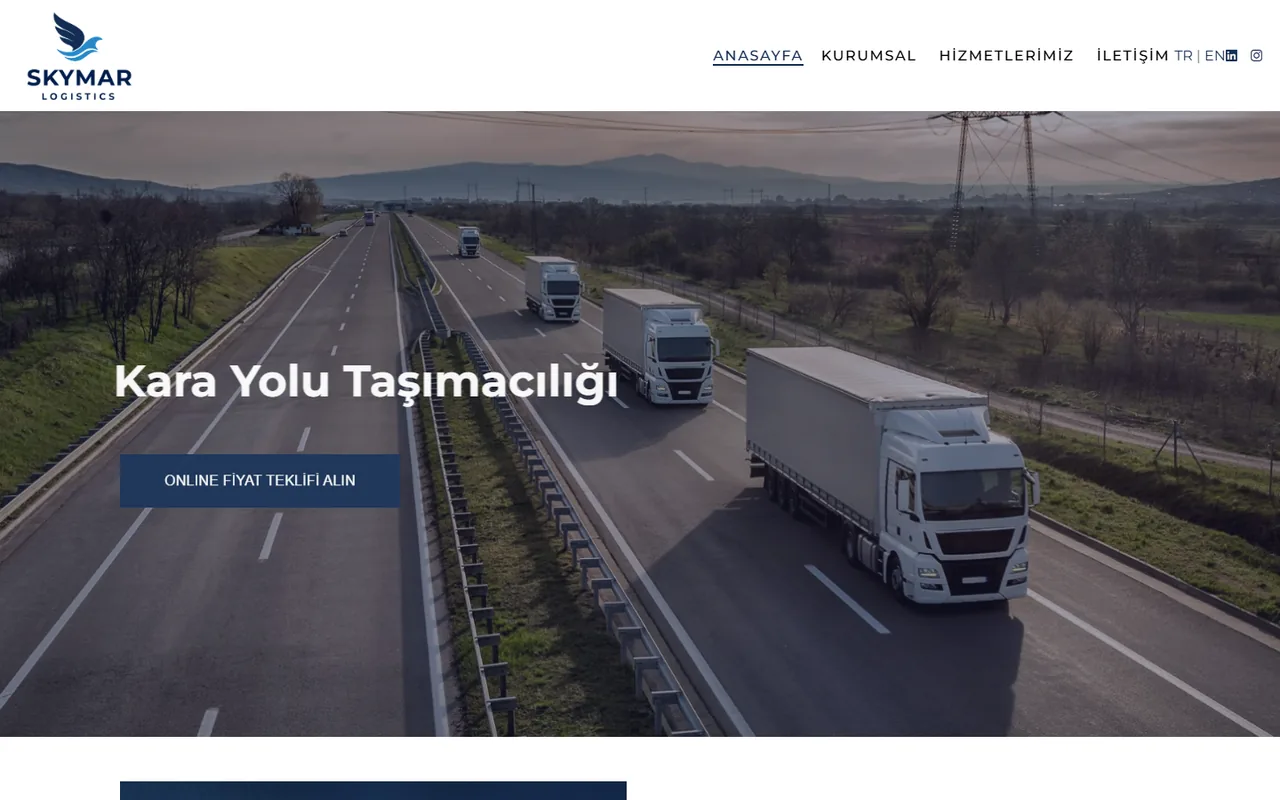
A logistics company often builds its digital presence piece by piece: one team builds the website, the mobile app goes to another team years later, and the data connection between the two gets worked out after the fact. For our client Skymar Lojistik we took a different route: I developed the corporate website, the iOS and Android customer app, the app's backend and the store release all under one roof. I'm Berke Özyaşar; in this post I use the Skymar example to explain why this approach works and what I pay attention to in a full-package project.
What's in the package
- Website: www.skymar.com.tr, in Turkish and English. Pages for sea, air, road and rail freight and warehousing, a quote form that forwards requests by email, a CBM calculator, an Incoterms 2023 guide, a careers form with CV upload, and news. It runs on ASP.NET Web Forms on IIS.
- Mobile app: a single React Native 0.78 codebase for iOS and Android.
- Backend: Node.js and Express, Prisma and SQL Server; Socket.IO for real-time chat and Firebase Cloud Messaging for notifications.
- Staff and management screens: sending notifications, tracking users and activity logs, app settings.
- Store release: Google Play and the App Store, under Skymar's own accounts.
Why one team
The site and the app are two faces of the same company; customers don't see them as separate products, but as one company. When a single team does the work, a few concrete benefits emerge:
- Consistent language and terminology: However FCL or HBL is explained on the website, it appears the same way in the app. The Turkish and English copy on both sides is written based on the same decisions.
- A single point of contact: If a change affects both the site and the app, the company doesn't have to coordinate two separate vendors.
- Backend decisions are made up front: Which data the app can access with which permissions, which events trigger notifications and how documents are delivered are all planned at the very start.
- Release and maintenance on one schedule: Store updates, server changes and site content become part of the same plan.
A shared backend
At the heart of the package is the backend the mobile app talks to. The app doesn't connect to the database directly; the API I wrote with Node.js and Express handles authentication and returns to each customer only their own shipments, documents and invoices. I used Prisma for data access, and the data lives in SQL Server. This layer separates the app's interface from the data structure: if a new screen or another client is added later, it can work through the same API, and authorization is managed in one place.
What's in the customer app
Shipments are split into Booking, In Transit and Arrived tabs; customers find the load they are looking for by B/L, container number or their own reference. From a shipment card they can go straight to the HBL and invoice documents. Invoices can be filtered by payment status and date range, downloaded and shared. In logistics, customers ask two questions most often: "Where is my cargo?" and "What's the status of my invoice?" The app's main screens were built around those two questions.
Notifications and chat
Firebase Cloud Messaging sends push notifications for vessel arrivals, new messages and invoices. It is important to keep the list of events that trigger notifications short; users who get a notification for every small change eventually turn notifications off. On the chat side, customers can send their representative photos, documents and voice messages from within the app; messages are delivered in real time via Socket.IO. Having chat in the app brings correspondence that would otherwise be scattered across email and phone into the same place as the shipment information.
Staff screens
The app also has a staff side. Authorized users can send notifications with images to all customers or to a single user, monitor active users and activity logs, and turn the tabs in the bottom menu and the chat buttons on and off. That last feature may look minor, but it is practical: when a section needs to be switched off temporarily, there is no need to submit a new version to the stores.
Store release on the client's account
The app is live on Google Play, and on the App Store since June 23, 2026, under Skymar's own developer accounts. This choice means the app appears in the stores under the company's name and the account stays with the company. For the release I also prepared the privacy policy, account deletion request and child safety pages. Planning pages like these, which store review requires, together with the web side is another advantage of working with a single team.
Two languages, two platforms
Both the site and the app are in Turkish and English. A single React Native codebase powers the iOS and Android versions together; when a feature is added, it can go live on both platforms at the same time. Because the backend is shared, customers on both platforms see the same data.
How I plan a full-package project
When the site, the app and the backend are part of the same project, the order of work matters. My general approach is:
- Data and permissions first: I don't design screens until it is clear which shipments, documents and invoices the customer will see and which actions staff will perform.
- Then the backend: Once the API and notification infrastructure are in place, the app can be developed against real data.
- Site and app in parallel: Since the website doesn't depend on the backend, it can move forward while the app is being developed; terminology and copy are written together for both sides.
- Store preparation from the start: The company's developer accounts, privacy texts and a demo account for review are prepared alongside development, so the release isn't held up once the app is ready.
When a single package makes sense
- When the company's website is due for a rebuild and a mobile app is also on the agenda
- When the data the app will show comes from the company's existing system, and that connection needs to be built once and built right
- When the company has no in-house software team to coordinate the site, the app and the server
If you need only a website or only an app, the pieces can of course be built separately; a single package isn't a requirement but an option that reduces the coordination burden.
Similar projects
I had previously built the Buzmavi and Mitlog apps for the customers of logistics companies; both are live on the App Store and Google Play under the companies' own accounts. Skymar carried that experience into a single package together with a website, a backend and staff screens. I explain how I work on the mobile side on the mobile app development page, and on the website side on the corporate website development page.