
An admin panel without a database: on-page editing at HATKO Solar
On the HATKO Solar site, content lives in JSON files and the team edits it by clicking the text on the page. When is this approach right, and when is a classic panel better?
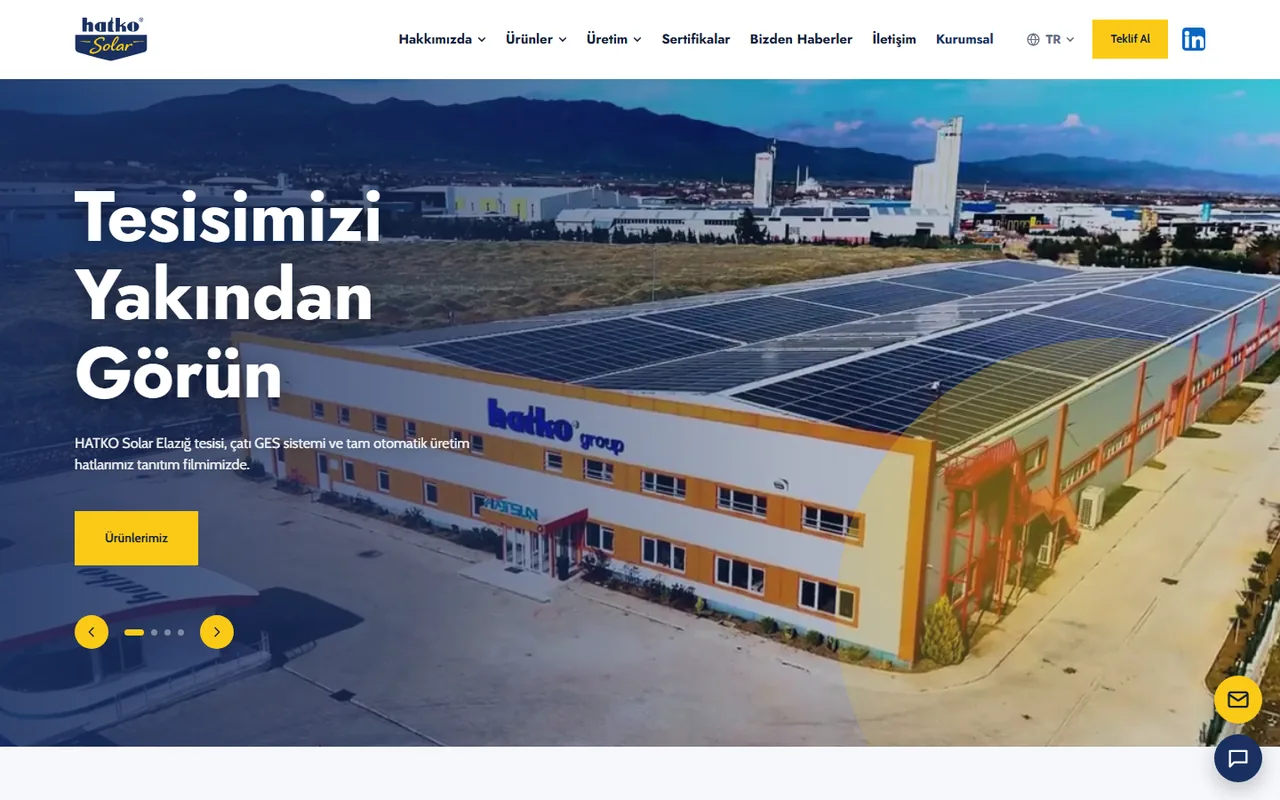
When people think of an admin panel for a corporate website, they usually picture a database, a login screen and long forms. For our client HATKO Solar I chose a different route: the site's content is stored in JSON files rather than in a database, and the team changes content by clicking the relevant text in a preview of the site. I'm Berke Özyaşar; in this post I explain how the HATKO Solar panel works and when this approach is the right choice.
The project in brief
HATKO Solar is the solar energy brand of HATKO A.Ş.; it manufactures PV junction boxes and connectors at its facility in Elazığ. The site is live in Turkish, English, Chinese and German. It has product pages, certificates, a PDF document center, news, manufacturing and technology pages, and a quote form. Most of the content changes not often, but regularly: a new certificate, an updated brochure, a news item.
Editing on the page
In a classic panel, the person editing has to guess where a form field will end up on the site. In the HATKO panel, a preview of the site opens; you click the text or element you want to change and edit it right there. Colors, fonts and homepage sections are also adjusted from the panel. Products, news, certificates, documents, slides and references are recurring content, so they are managed as separate lists. Image uploads, form messages and password changes are among the panel's sections as well.
Why the content lives in JSON files
On the server side, PHP reads the content files and builds the pages; plain JavaScript runs in the interface. The practical consequences of this choice are:
- The site runs on shared hosting with no extra setup; there is no separate database server to install, manage or upgrade.
- Taking a backup is as simple as copying files.
- The content structure is readable; adding a new field doesn't require changing a database schema.
- For content with a limited number of records, such as a product catalog and a certificate list, file-based storage is fast enough.
Publish and revert
Changes made in the panel go live for all visitors when "Publish" is clicked; if something goes wrong, you can revert to the last published state. Keeping editing and publishing as separate steps prevents half-finished text from being shown to visitors. The ability to revert, in turn, lets the team make changes in the panel without hesitation.
Four languages in one panel
Turkish, English, Chinese and German copy is managed from the panel's translations section, and every page has hreflang tags. A common problem on multilingual sites is that one language gets updated and the others are forgotten. Managing translations from a single section makes it easier to see which text is missing in which language.
Certificate gate: collecting leads from content
Solar panel manufacturers look at certificates when evaluating a supplier. On the HATKO site, certificates appear blurred in the preview; to see the full version, visitors are asked for their company, name and email. That way, a visitor who wants to examine a certificate becomes a contact record the sales team can follow up on. Which content sits behind a form like this should be a deliberate decision; locking every document wears visitors out.
HATKO Asistan: unanswered questions land in the panel
The site has a chat window called HATKO Asistan that answers questions about products, certificates and quotes using a keyword-based knowledge base. The assistant draws its answers from content prepared by the team. Questions it can't answer are listed in the panel as suggestions; this shows the team what visitors actually ask and makes it possible to expand the knowledge base with those questions.
Security basics
Not having a database doesn't make security any less important. The HATKO panel has session management, CSRF token protection and a login attempt limit. With this kind of setup, you also need to make sure content files are kept somewhere they can't be accessed directly over the web and that the types of uploaded files are checked.
The limits of this approach
A file-based panel has its costs too, and you need to know them up front. If more than one person edits the same content at the same time, whoever writes to the file last can overwrite the other person's changes; that is why it is better to queue write operations and to use this approach with small teams. Once content reaches thousands of records, operations such as search, filtering and pagination are much easier with a database. The same goes for reporting: a summary you get from a database with a single query has to be coded separately when working with files. On a corporate site like HATKO's, whose content is structured and changes infrequently, these limits are not a deciding factor.
Compared with a classic panel
For our client Hekimoğlu Lojistik, I built a different setup: a classic admin panel on PHP and MySQL with a statistics screen. News is written in the TinyMCE editor, with SEO fields, featuring, and published, draft or archived statuses. Document view and download counts, along with messages from the quote and contact forms, are stored in the database. For a site with a news archive that grows over time and data that is written continuously, such as counters, a database is the right choice.
Which one, and when
- No database, on-page editing: when the content is limited and structured, changes are infrequent, the people editing aren't technical and the site needs to run on simple hosting.
- Database and a classic panel: when there is continuously growing content such as a news archive, when pagination, search and filtering are needed, when there is continuously written data such as counters and form submissions, or when more than one person enters content at the same time.
Both approaches are written specifically for the site, without installing an off-the-shelf CMS; the difference lies in where the data lives and how the team works with the content. We can decide together which one suits your company's site at the start of the corporate website development process.