
Building logistics apps with React Native: lessons from five projects
Practical notes from five mobile apps I built for logistics companies: customer apps vs. operations apps, integration, notifications and the app store process.
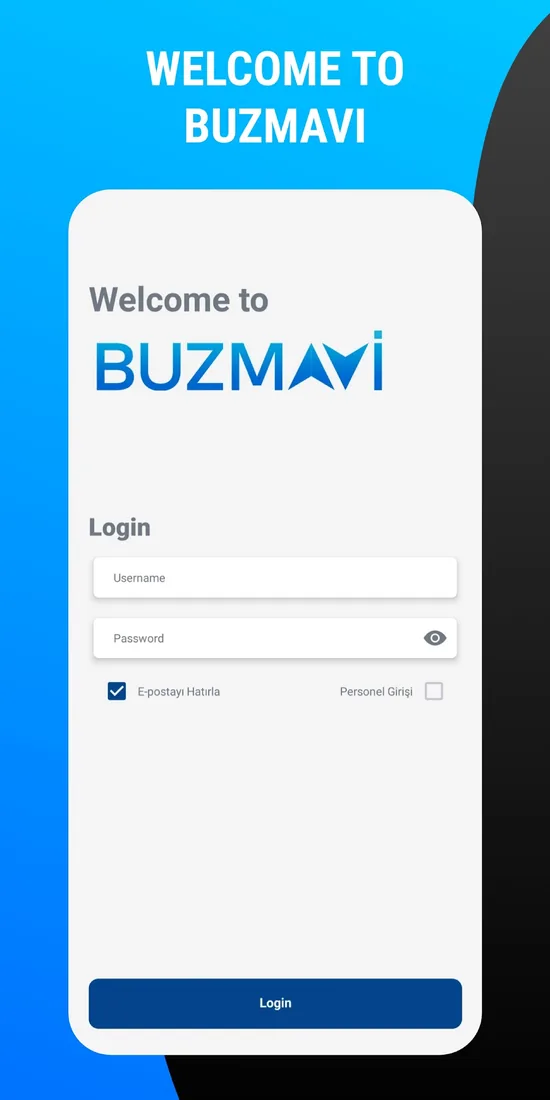
For our clients, I have built mobile apps for five companies in the logistics industry. Four of them are customer-facing: apps for Buzmavi, Mitlog, CDA Lojistik and Almark Global Lojistik that make shipment tracking and communication easier for these companies' customers. The fifth is internal: an operations app that tracks inbound and outbound cargo with barcodes in TCT Lojistik's warehouse. I am Berke Özyaşar, and in this post I have gathered the practical lessons I took away from these projects. If you are considering a mobile app for your logistics company, much of what you need to know before you start is here.
First question: who is the app for?
In logistics, "mobile app" can mean two very different products. The first is a customer-facing app: your exporter or importer customer sees on their phone where their cargo is, which stage it is waiting at and whom they should contact. The second is an operations app: a warehouse worker, driver or field employee runs their work from a phone. Even within the same company, these should be separate apps; their users, screens, security needs and success criteria are completely different.
For a customer app, the goal is to cut down the "where is my shipment?" calls reaching the operations team and to give customers a professional channel. For an operations app, the goal is speed and accuracy: if scanning a parcel takes longer than it should, the team stops using the app and goes back to paper.
Why React Native
I built all of these projects with React Native. Logistics companies' customers use both iPhone and Android; writing two separate native apps doubles both development and maintenance costs. With React Native, a single codebase produces apps for both platforms, and when a feature is added it ships on both at once. There are mature libraries for device features such as the camera, push notifications, maps and printer communication, and writing a native module is always an option when needed.
The platform choice was not the same for every project. Buzmavi and Mitlog are live on both the App Store and Google Play; the CDA and Almark apps are on Google Play. The warehouse app was built for the Android devices used in the warehouse. When the codebase is written for both platforms from the start, adding an iOS version later is not a new project but a much smaller job.
What a customer app needs
The first version of a customer-facing logistics app does not need a long feature list. When the following few things are done right, the app gets used:
- Shipment list and details: The customer's active shipments, the current status of each and their movement history. Status names should be written in language the customer understands, not in the operations team's internal jargon.
- Notifications: A push notification when a status changes is where the app delivers the most value. But sending a notification for every small change ends with the user turning notifications off; you need to choose, together with the operations team, which events actually deserve a notification.
- Contact: One-tap calling, email or messaging to the relevant representative. When customers run into a problem, they should not have to hunt for who to contact.
- Documents: If the company keeps them digitally, access to documents such as bills of lading, invoices and customs paperwork.
- Secure login: Each customer should see only their own shipments. Authorization must happen on the server; the app itself should not be trusted.
The hardest part: connecting to the existing system
Almost every logistics company has an operations system or database that has been in use for years. The value of a mobile app depends on showing the data in that system accurately and up to date. That is why the most critical phase of the project is often not the interface but the integration.
In the TCT project, the app connected to the company's existing ASP.NET Core and SQL Server infrastructure; it was built on top of the existing system instead of replacing it. That is my general approach too: a mobile app should not talk to the database directly, but to an API layer that handles authentication and returns only the data that is needed. That way, even if the database structure changes, the mobile app is unaffected, and security is managed in one place.
What I pay attention to during integration:
- Verifying the meaning of status codes and fields one by one with the operations team. A database field's name and what it is actually used for are not always the same.
- Timeouts, retries and clear error messages so the app does not freeze on slow or unstable networks.
- Pagination for long lists, rather than pulling years of accumulated data onto the phone at once.
- Session length and token refresh. In the TCT app, authentication is handled with JWT.
An operations app is a different world
The TCT warehouse app turned out to be a very different job from the customer apps. Here the user is a warehouse worker: the app scans parcel barcodes with the camera when cargo comes in and goes out, reads the text on the label with OCR when a barcode cannot be read, lets the user select the vehicle plate, and prints labels on Zebra printers over the network. In an app like this, success is not measured by how the screens look; it is whether someone wearing gloves, in poor lighting, can work quickly and without mistakes. That is why large touch targets, clear feedback and flows with as few steps as possible matter. I covered the technical details of this project in the post on the barcode warehouse app.
The store process: plan the account from day one
In client projects, whose name the app will be published under should be settled from the start. Buzmavi and Mitlog are published on the App Store under the companies' own developer accounts; the app appears in the store under the company's name and the account stays with the company. This requires an organization Apple Developer account, and because of steps such as obtaining a D-U-N-S number, the process can take longer than expected. Starting the account application when development starts is the easiest way to keep the launch date from slipping.
There are a few app review issues specific to logistics apps:
- Demo account: If the app opens with a login, the review team should be given a test account with sample data. Preparing that without exposing real customer data is a task in itself.
- Account deletion: If users can create an account in the app, they must be given a way to delete it.
- Permission descriptions: The reason for requesting permissions such as location, notifications and camera should be stated clearly, and permissions that are not used should not be requested.
- Apps that just wrap a website can run into trouble in review. The app needs to offer a real mobile experience with notifications and native screens.
After launch
A mobile app is not finished on launch day. iOS and Android release new versions every year, Google Play regularly updates its target SDK requirements, and React Native itself evolves quickly. An app without a maintenance plan can become impossible to update within a year or two. That is why I recommend regular version updates after launch as well; they are necessary for both security and store compliance.
In short
A good mobile app for a logistics company starts with a few of the right screens: shipment status, meaningful notifications and easy contact. The real challenge is connecting to the existing system through a solid API and planning the store process from the start. If you are considering a similar app for your company, you can see how I work on the mobile app development page and get in touch from there.